Case study: enterprise app
Designing contextual commerce for mobile video
interaction systems for immersive media + shopping
Confidentiality Notice:
Due to confidentiality agreements, internal product codenames, design system references, proprietary tokens, document versioning, and system-specific implementation details have been removed or redacted. The materials shown focus on interaction thinking, state modeling, and architectural decisions. Additional implementation details are available for discussion upon request.
Context & problem
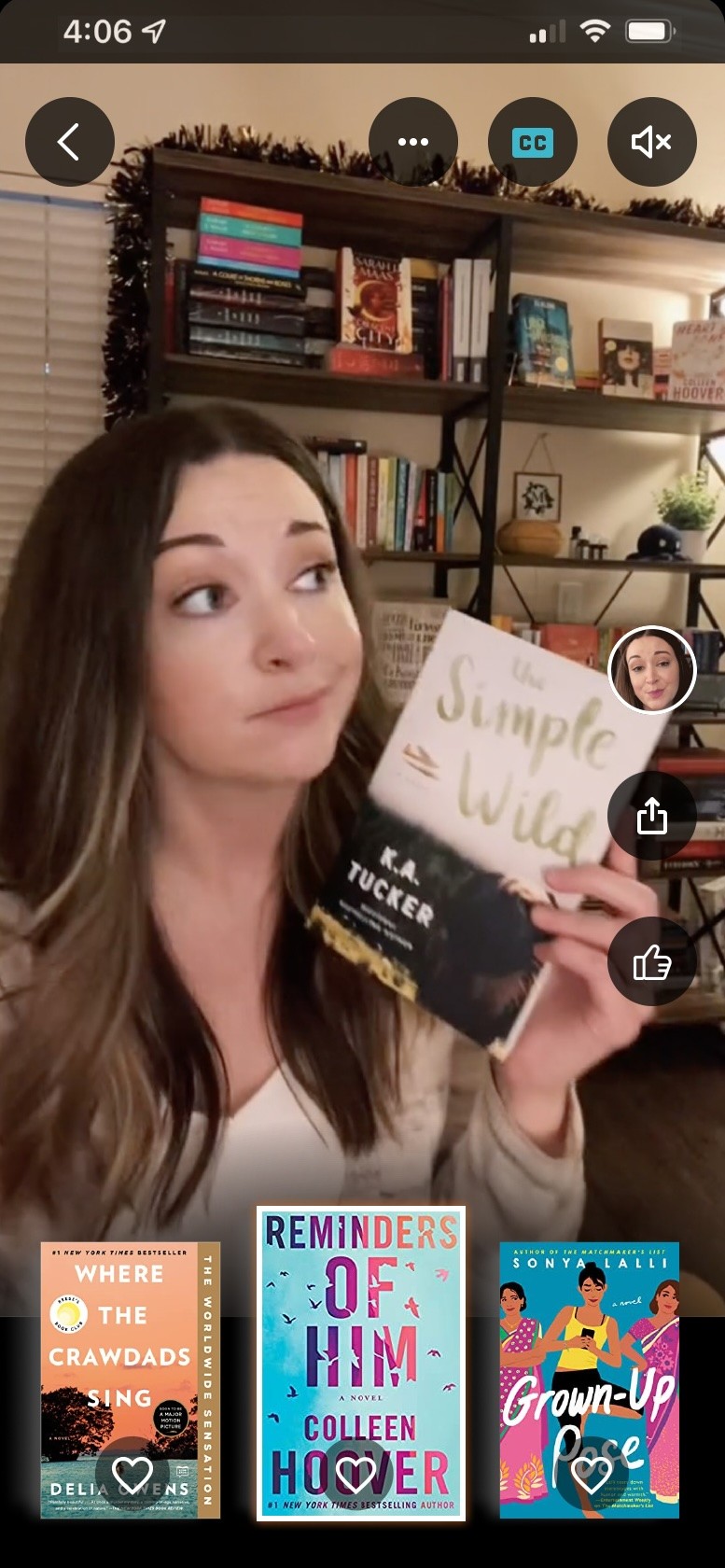
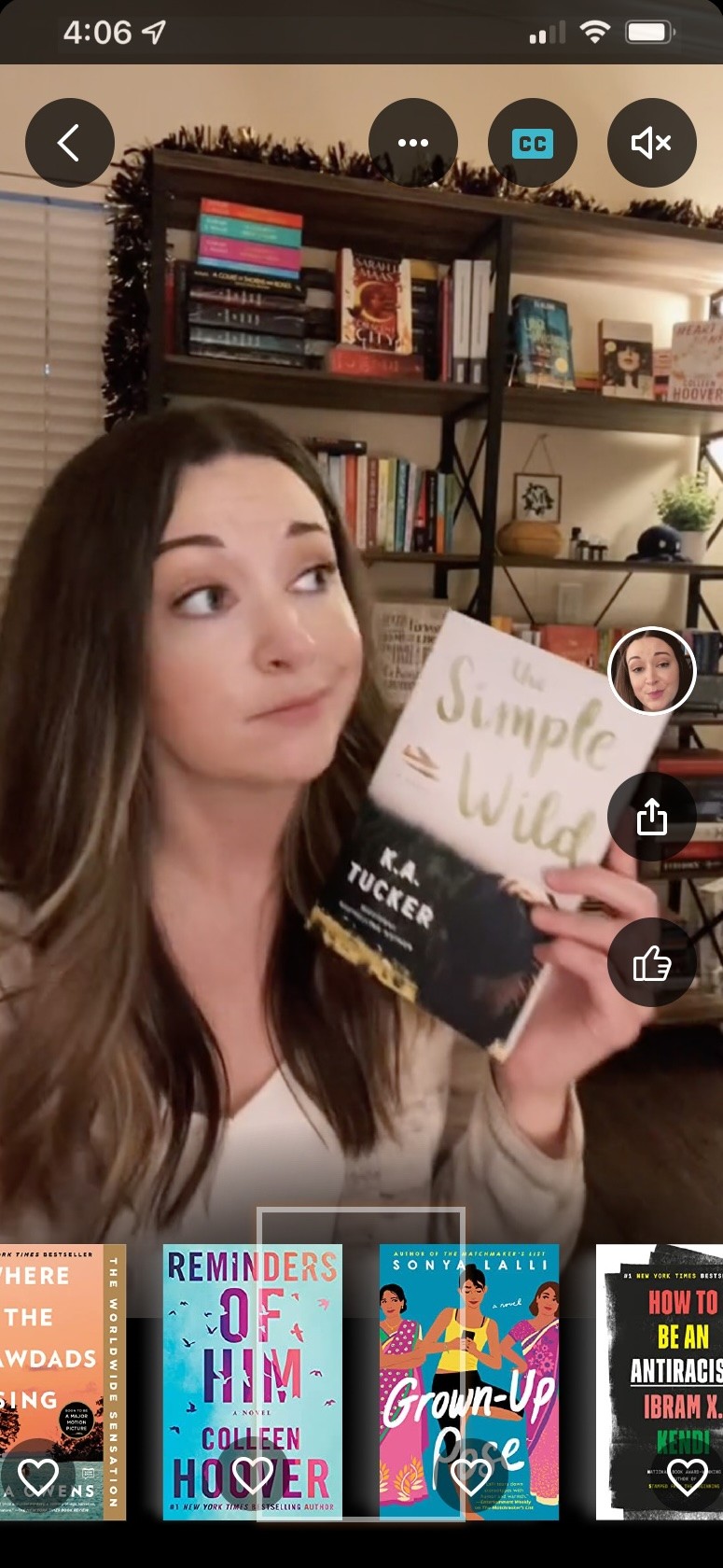
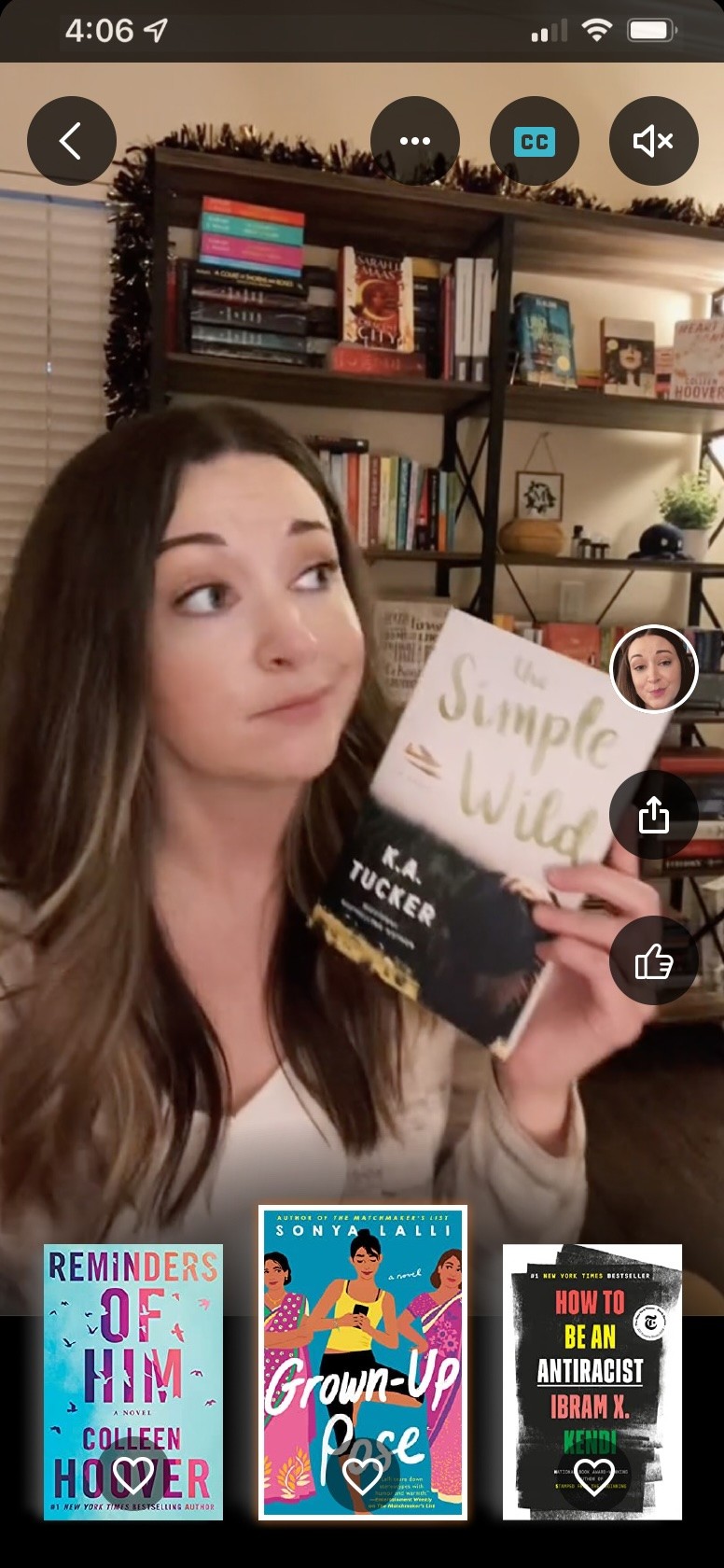
This project focused on designing a video-first shopping experience within a large-scale e-commerce ecosystem [MASSIVE COMPANY X, which shall remain unnamed]. The goal was to enable customers watching creator-led book discussions to seamlessly discover, track, and purchase the books being discussed — without disrupting immersion.
The core tension was this: how do we layer commerce into an immersive video experience without overwhelming users or cluttering the interface?
Defining the North Star
Our North Star was contextual commerce. As a creator transitions between books in a discussion, the currently referenced book should remain clearly visible and accessible to the viewer. The system needed to automatically highlight the active item and update the tray dynamically.
I designed a bottom “shopping tray” that responded to the creator’s sequence, ensuring continuity and clarity. Tapping or scrubbing the tray advanced the video to the relevant section: now a patented UI.
Information architecture & layering
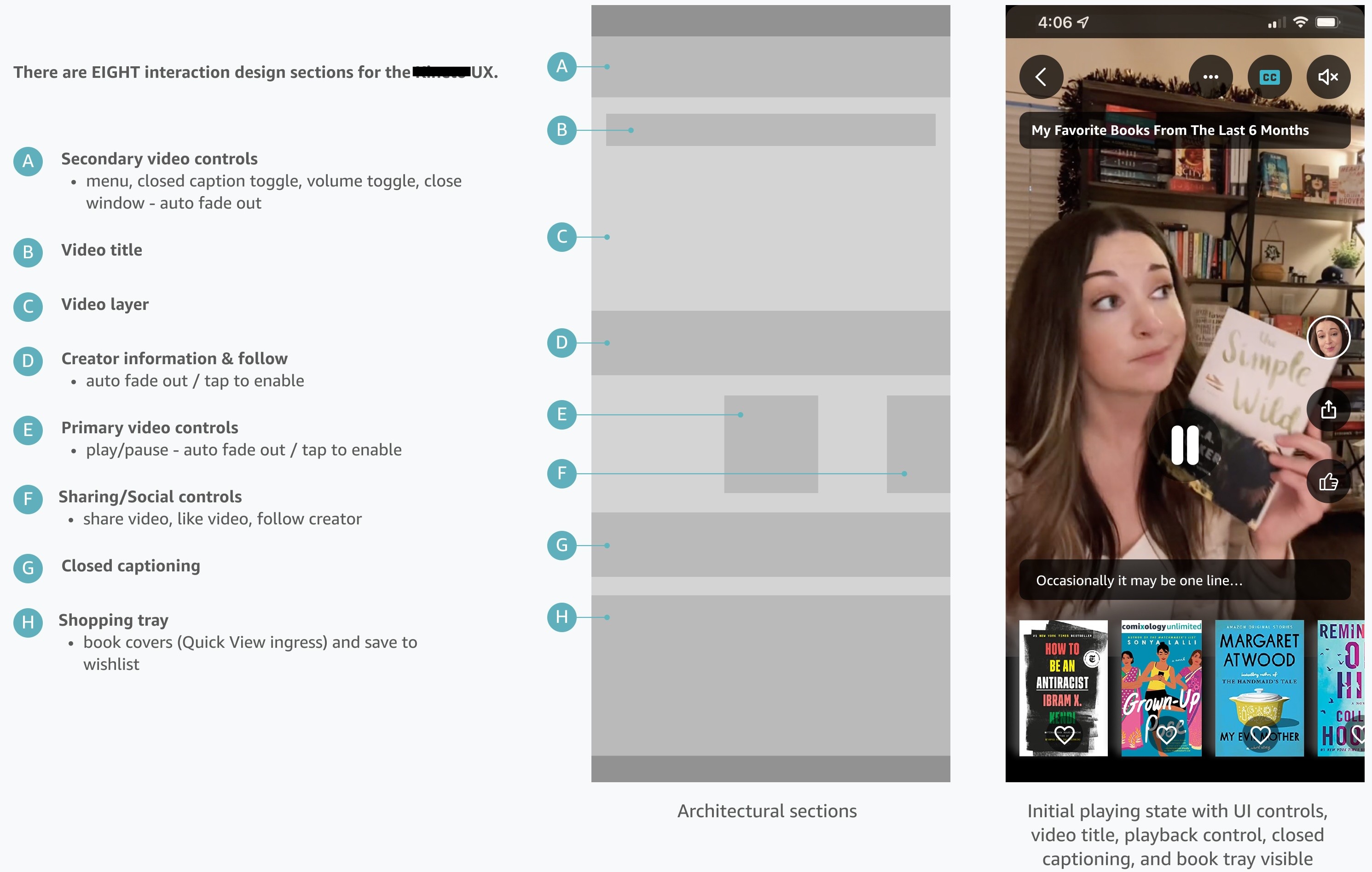
This experience required multiple simultaneous interface layers: playback controls, captions, creator info, shopping tray, and social actions. Each layer had to appear, fade, and reappear without competing for attention.
I structured the system into clear interaction zones and defined rules for fade timing, hierarchy, and reactivation on tap.
State modeling & control systems
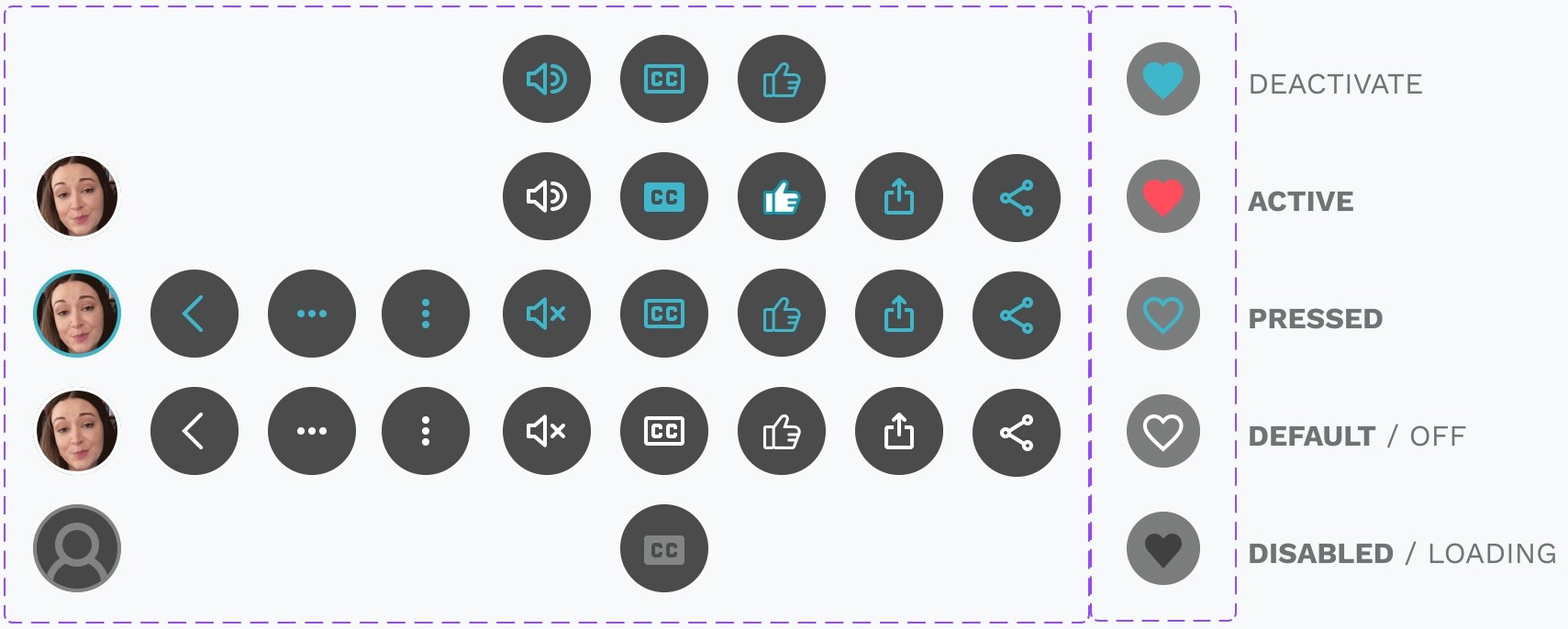
multi-state interaction logic
A major complexity — hopefully invisible to the customer — involved modeling and animating state transitions. Buttons needed consistent behavior across default, active, pressed, and disabled states. Certain controls, like follow or wishlist, required mid-sequence state awareness.
I defined state matrices to ensure consistent behavior across playback states and edge cases, and designed all UI animations.
Creator panel & contextual overlays
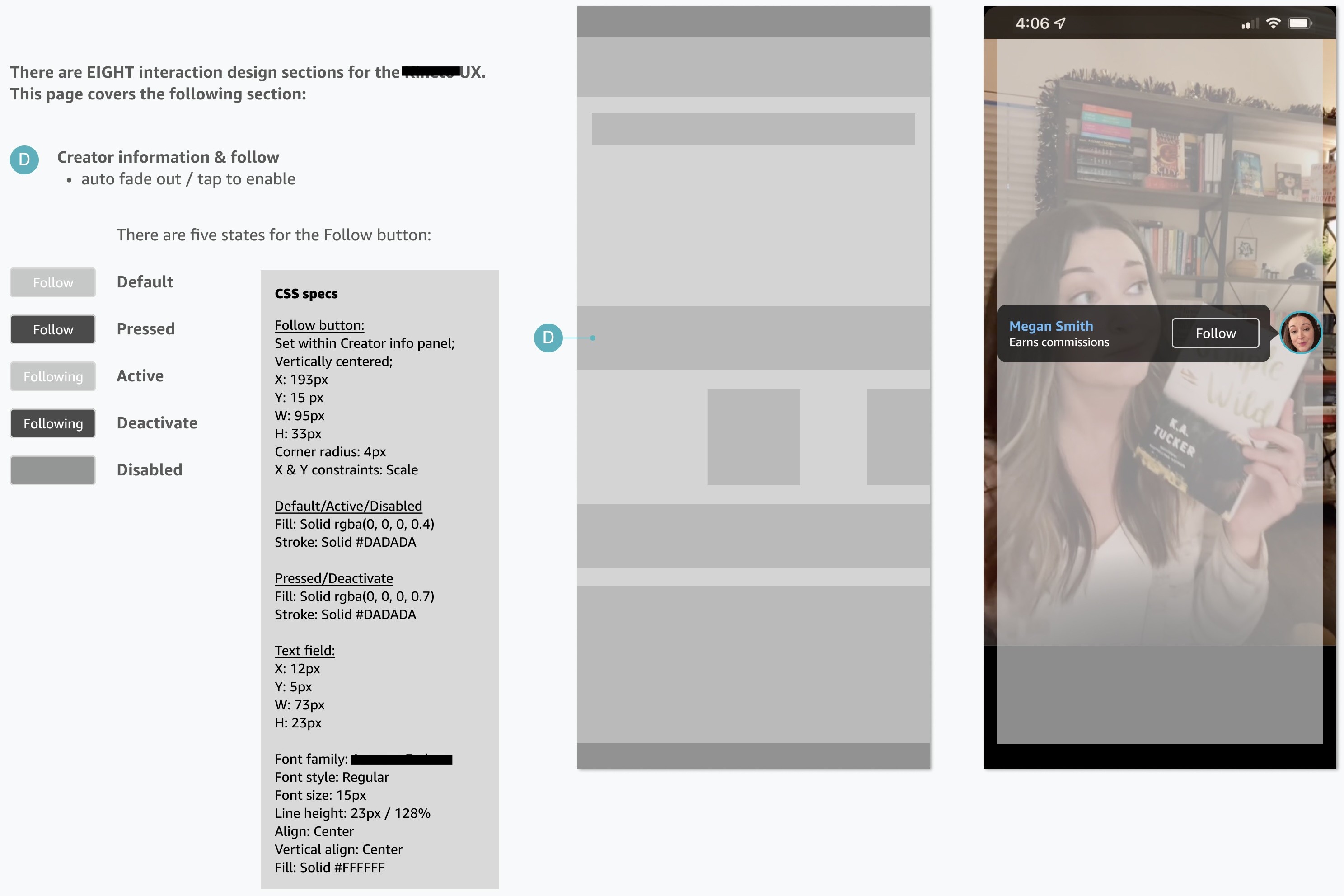
I designed contextual overlays to preserve creator identity while keeping commerce accessible. The follow state required nuanced behavior across interaction states and playback modes.
The overlay had to fade gracefully, remain legible, and respond predictably to tap interactions.
Constraints, outcomes, and impact
Design decisions were shaped by system constraints: performance considerations, accessibility requirements, and integration with an established design system.
The final system enabled contextual commerce without breaking immersion and established reusable interaction patterns across similar media-commerce experiences.
• Tested within a global e-commerce ecosystem
• Scalable interactive-video framework
• Multi-state and multi-layered component system
• Fan-driven interaction patterns with a massive database
I was the lead designer for [MASSIVE COMPANY X] on this project.
All assets and interaction designs were built in Figma.